read 05
1- Comparison and Logical operators
You can evaluate a situation by comparing one value in the script to what you expect it might be. The result wil be a boolean: true or false.
-
> greater than: Returns true if the left operand is greater than the right operand.
-
>= greater than or equal to:Returns true if the left operand is greater than or equal to the right operand.
-
< less than:Returns true if the left operand is less than the right operand.
-
*<= less than or equal to:Returns true if the left operand is less than or equal to the right operand. *
Keep in mind that you must use “==”, not “=”, when testing if two primitive values are equal.
- equal to (==) :Returns true if the operands are equal.
- not equal to (!=) : Returns true if the operands are not equal.
- Strict equal (===) :Returns true if the operands are equal and of the same type.
- Strict not equal (!==) :Returns true if the operands are of the same type but not equal, or are of different type.
- Logical operators
Logical operators allow you to compare the results of more than one comparison operator.
- Logical AND (&&)
- expr1 && expr2
- Returns expr1 if it can be converted to false; otherwise, returns expr2. Thus, when used with Boolean values, && returns true if both operands are true; otherwise, returns false.
-
Logical OR ( ) -
expr1 expr2 -
Returns expr1 if it can be converted to true; otherwise, returns expr2. Thus, when used with Boolean values, returns true if either operand is true; if both are false, returns false.
-
- Logical NOT (!)
- !expr
- Returns false if its single operand that can be converted to true; otherwise, returns true.
The following code shows examples of the && (logical AND) operator: var a1 = true && true; // t && t returns true var a2 = true && false; // t && f returns false var a3 = false && true; // f && t returns false var a4 = false && (3 == 4); // f && f returns false var a5 = ‘Cat’ && ‘Dog’; // t && t returns Dog var a6 = false && ‘Cat’; // f && t returns false var a7 = ‘Cat’ && false; // t && f returns false
2- LOOPS
Loops are used in JavaScript to perform repeated tasks based on a condition. Conditions typically return true or false when analysed. A loop will continue running until the defined condition returns false.
The three most common types of loops are:
1- For
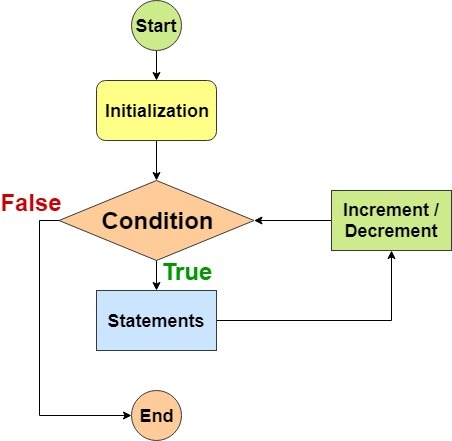
If you need to run code a speciific number of times , use a for loop. in a for loop , the condition is usually a counter which is used to tell how many times the loop should run INITIALIZATION , CONDITION, UPDATE
2- while
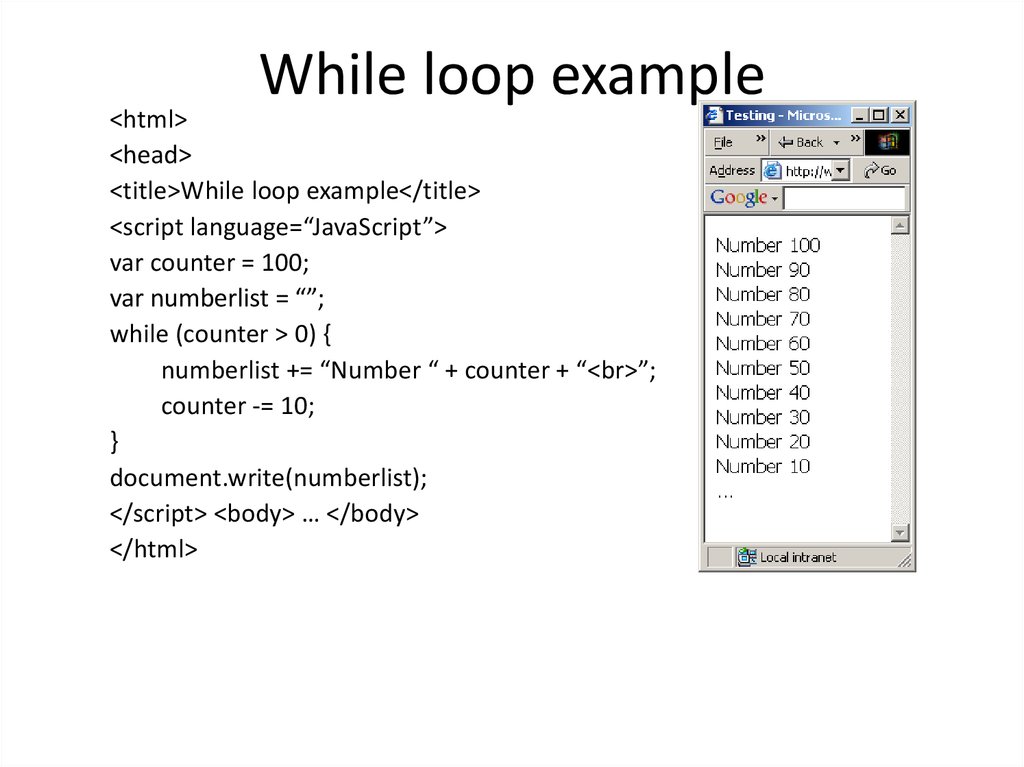
If you do not know how many times the code should run , you can use a while loop. Here the condition can be something other than counter, and the code will continue to loop foras long as the condition is true
using while loops
3- do while
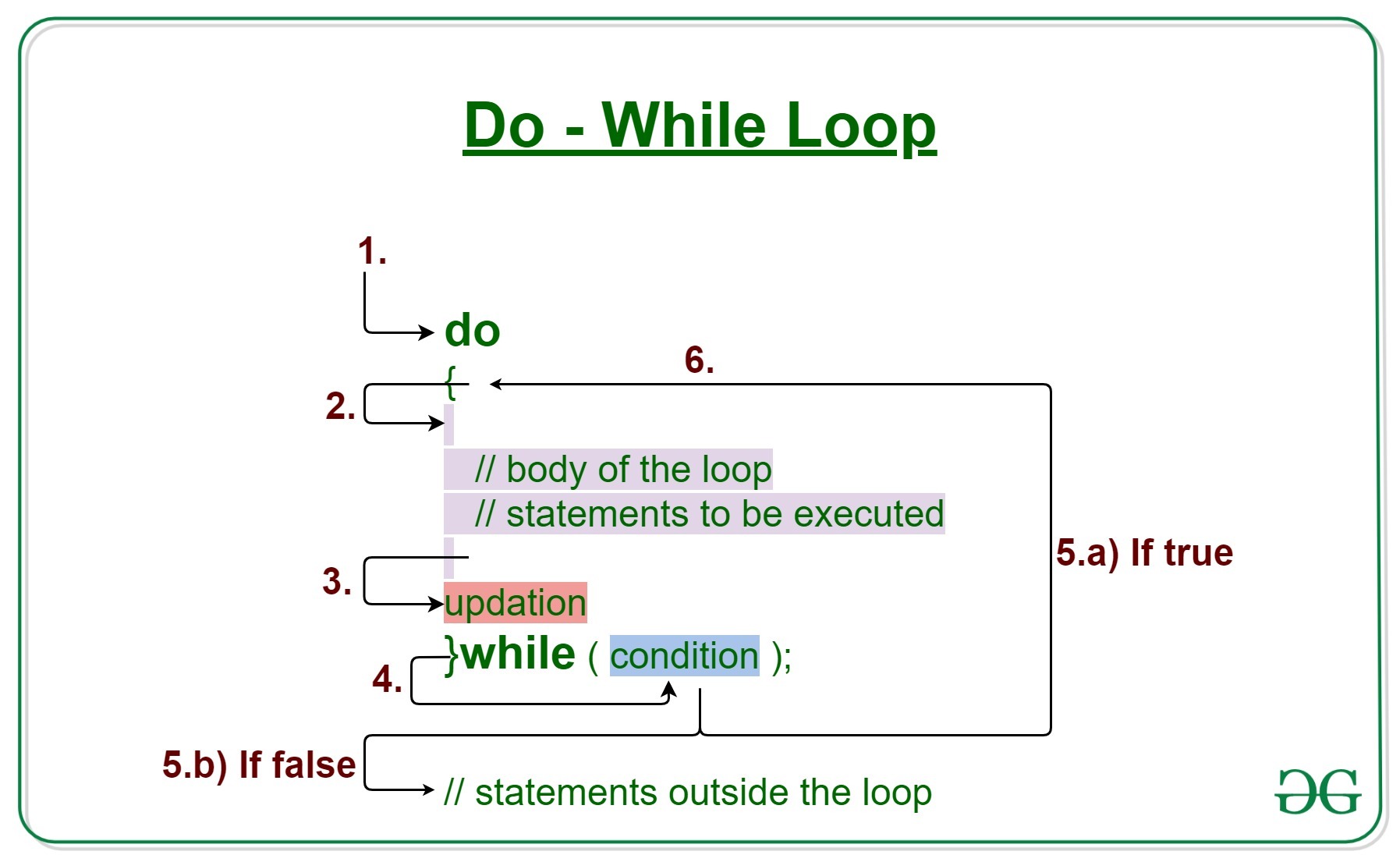
The do…while loop is very similar to the while loop, but hasone key difference: itwill always run the statements inside the curly braces at least once, even if the condition evaluates to false.