Readings: Putting it all together
Thinking in React

1.How would you break a mock into a component heirarchy?
One of the many great parts of React is how it makes you think about apps as you build them. In this document, we’ll walk you through the thought process of building a searchable product data table using React.
The first thing you’ll want to do is to draw boxes around every component (and subcomponent) in the mock and give them all names. If you’re working with a designer, they may have already done this, so go talk to them! Their Photoshop layer names may end up being the names of your React components!
2.What is the single responsibility principle and how does it apply to components?
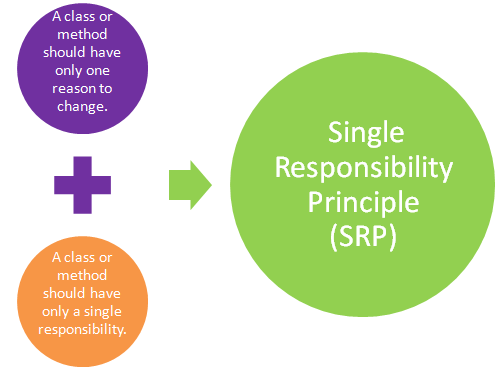
that is, a component should ideally only do one thing. If it ends up growing, it should be decomposed into smaller subcomponents.
The single responsibility principle (SRP) states that every class or module in a program should have responsibility for just a single piece of that program’s functionality. Further, the elements of that responsibility should be encapsulated by the responsible class rather than spread out in unrelated classes
3.What does it mean to build a ‘static’ version of your application?
In a statically built program, no dynamic linking occurs: all the bindings have been done at compile time. … As a result, when installing a statically-built program on a computer, the user doesn’t have to download and install additional libraries: the program is ready to run .
To build a static version of your app that renders your data model, you’ll want to build components that reuse other components and pass data using props. props are a way of passing data from parent to child. If you’re familiar with the concept of state, don’t use state at all to build this static version. State is reserved only for interactivity, that is, data that changes over time. Since this is a static version of the app, you don’t need it.
4.Once you have a static application, what do you need to add?
At the end of this step, you’ll have a library of reusable components that render your data model. The components will only have render() methods since this is a static version of your app. The component at the top of the hierarchy (FilterableProductTable) will take your data model as a prop. If you make a change to your underlying data model and call ReactDOM.render() again, the UI will be updated. You can see how your UI is updated and where to make changes. React’s one-way data flow (also called one-way binding) keeps everything modular and fast.**
Refer to the React docs if you need help executing this step .
5.What are the three questions you can ask to determine if something is state?
1. Is it passed in from a parent via props? If so, it probably isn’t state.
2. Does it remain unchanged over time? If so, it probably isn’t state.
3. Can you compute it based on any other state or props in your component? If so, it isn’t state.
6.How can you identify where state needs to live?
For each piece of state in your application:
-
Identify every component that renders something based on that state.
-
Find a common owner component (a single component above all the components that need the state in the hierarchy).
-
Either the common owner or another component higher up in the hierarchy should own the state.
-
If you can’t find a component where it makes sense to own the state, create a new component solely for holding the state and add it somewhere in the hierarchy above the common owner component.