Readings: Express
1. What’s the difference between PUT and PATCH?
HTTP is the foundation of data communication for the World Wide Web. It is a request-response protocol which helps users communicate with the server to perform CRUD operations. HTTP supports a number of request methods such as PUT, POST and PATCH to create or update resources.
The main difference between the PUT and PATCH method is that the PUT method uses the request URI to supply a modified version of the requested resource which replaces the original version of the resource, whereas the PATCH method supplies a set of instructions to modify the resource. If the PATCH document is larger than the size of the new version of the resource sent by the PUT method then the PUT method is preferred.
2. Provide links to 3 services or tools that allow you to “mock” an API for development like json-server
- Mocky.io Mocky is an incredibly simple and super lightweight testing implementation. Mocky is entirely a web app, meaning that everything is generated and managed remotely. This does mean that Mocky grants you significantly less control compared to solutions that focus more on local systems, but this also means the application is simpler and cleaner.
Mocky has great support for a ton of common functionality, but because it is a web app, you have to add this functionality in URL form. For instance, adding ?callback=myfunction enables jsonp; adding ?mocky-delay=100ms allows you to add delays. This sort of functionality still delivers quite a lot of value, but it does point to the relative simplicity of the app – if exceeding granular control is something that is desired, Mocky might not be the first option. For simple interactions, however, Mocky is a great choice.
- Postman Mock Server Mock Servers in Postman are tied directly to the Postman app, and for that reason, are a suggestion for a very particular use case. Postman is a great testing solution, and their mocking system is equally great, but the fact that it’s tied to both a Postman account and a defined collection means that using only the Mocking system means that you are buying into an incomplete testing experience. You can create a mock server without an existing collection, but in this case it’s kind of like buying an entire sewing kit for a single needle.
That may not be a deal-breaker, of course – Postman is an excellent testing system and is in relatively common use by many API developers. Still, the fact that the mocking system is but a single aspect of a much larger testing apparatus may deter some users. There’s also the fact that it’s not completely free – Postman allows a limited number of free mock calls, but users engaging in heavy development may quickly find themselves exhausting this limited number.
- MockServer MockServer (and its counterpart service MockServer Proxy) is a multifaceted tool that comes in a variety of builds. It’s available as a Netty web server, a Docker container, a Maven plugin, an npm plugin, and a Grunt plugin. There’s a ton of great options that can be leveraged for a variety of environments. This already makes it a pretty compelling tool given that you can plug it into just about anything you’re running, but its wide range of functionality is the core compelling argument.
MockServer responds to requests based upon a series of configured expectations, wth support for mocked responses, request forward, callback generation, invalid response/connection closure, test assertion, and log retrieval. For this reason, MockServer is both well-defined and configurable, making it a great option for most use cases.
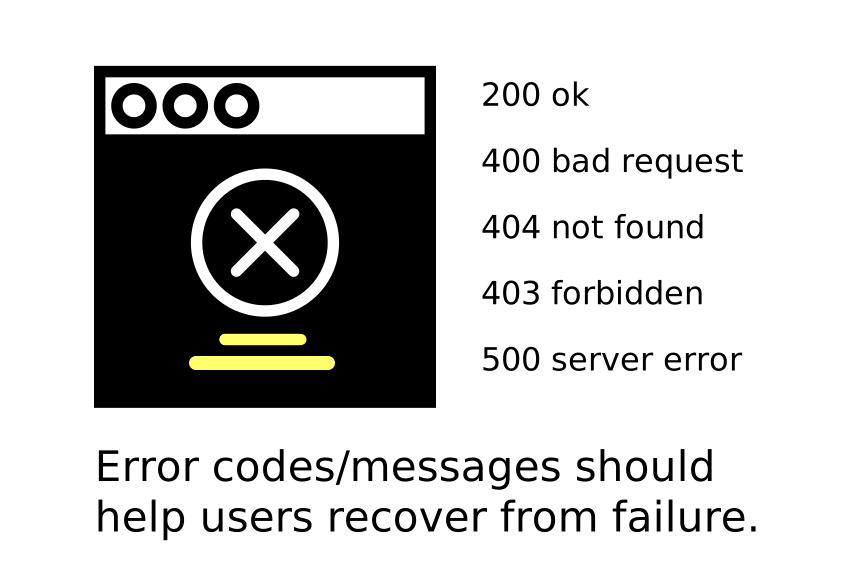
3.Compare and contrast Swagger and APIDoc.js 1 Which HTTP status codes should be sent with each type of (un)successful API call?
-
Swagger: responses: 200: description: OK 400: description: Bad request. User ID must be an integer and bigger than 0. 401: description: Authorization information is missing or invalid. 404: description: A user with the specified ID was not found.
responses: 204: description: The resource was deleted successfully.- APIDoc.js
- APIDoc.js
-
Compare and contrast SOAP and ReST
-
The difference is:
- SOAP is a XML-based message protocol, while REST is an architectural style
- SOAP uses WSDL for communication between consumer and provider, whereas REST just uses XML or JSON to send and receive data
- SOAP invokes services by calling RPC method, REST just simply calls services via URL path
- SOAP doesn’t return human readable result, whilst REST result is readable with is just plain XML or JSON
- SOAP is not just over HTTP, it also uses other protocols such as SMTP, FTP, etc, REST is over only HTTP That’s everything I know as the differences between them. Could anyone correct me and add more.
| Term | Def |
|---|---|
| Web Server | A web server is computer software and underlying hardware that accepts requests via HTTP, the network protocol created to distribute web pages,[1] or its secure variant HTTPS. A user agent, commonly a web browser or web crawler, initiates communication by making a request for a specific resource using HTTP, and the server responds with the content of that resource or an error message. The server can also accept and store resources sent from the user agent if configured to do so. |
| Express | is a minimal and flexible Node.js web application framework that provides a robust set of features for web and mobile applications. |
| Routing | Routing refers to how an application’s endpoints (URIs) respond to client requests. For an introduction to routing, see Basic routing.You define routing using methods of the Express app object that correspond to HTTP methods; for example, app.get() to handle GET requests and app.post to handle POST requests. For a full list, see app.METHOD. You can also use app.all() to handle all HTTP methods and app.use() to specify middleware as the callback function (See Using middleware for details). |